If you’ve received a promo code from our team, you are just a few quick steps away from applying it to your account.
The redemption process depends on whether you are using an iOS or Android device. Please find the instructions for your device below.
How to Use Your Promo Code on iOS
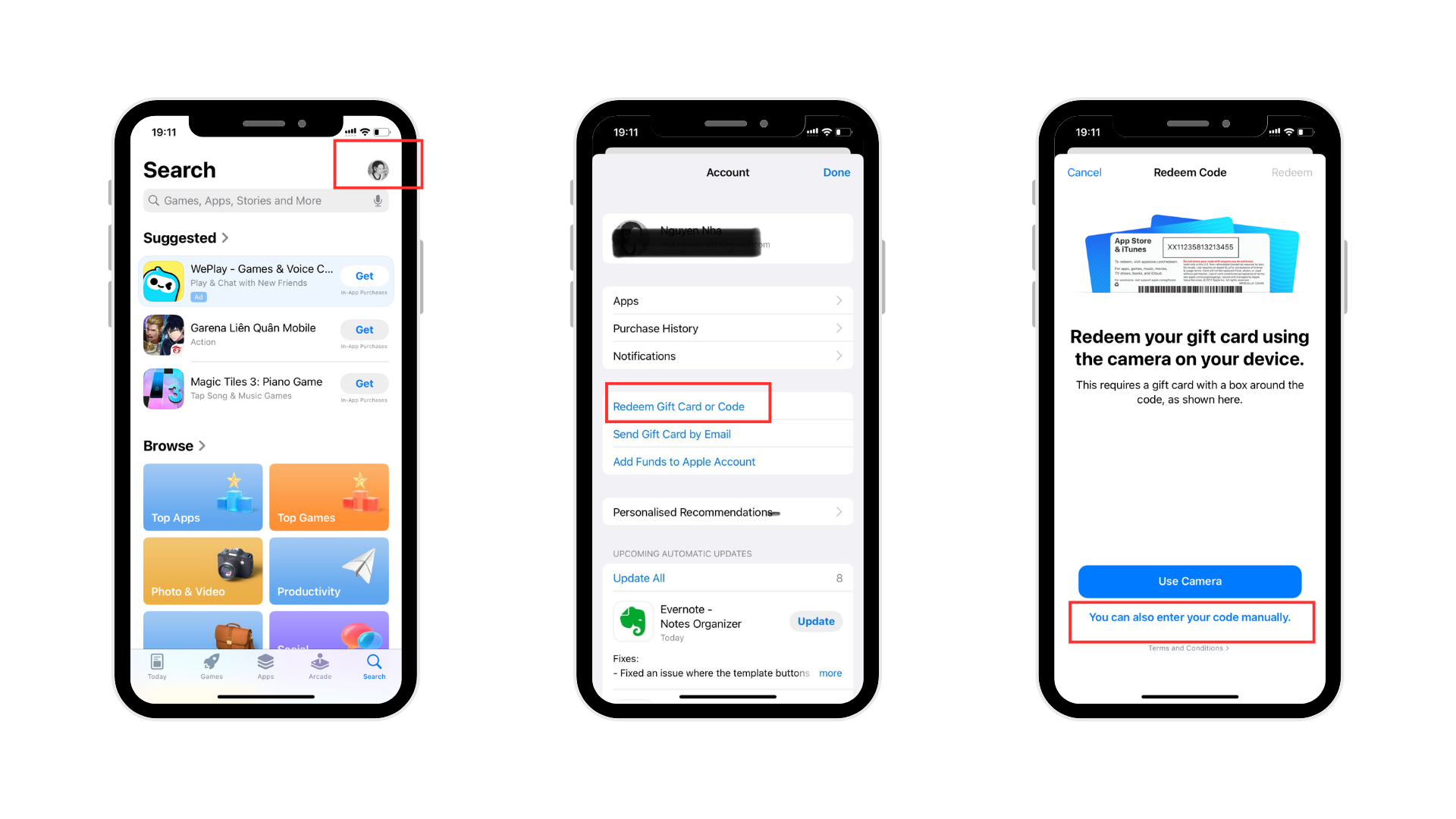
Apple handles all promo codes directly through the App Store system. Here is how to redeem yours:
Copy the promo code you received.
Open the App Store app on your device.
Tap your profile picture in the top-right corner of the screen.
Tap Redeem Gift Card or Code.
Tap Enter Code Manually, paste your code into the field, and tap Redeem in the top right corner.
Open the Woofz app, and your promo code benefits will be applied.
How to Use Your Promo Code on Android
If you are using an Android device, you can easily redeem your code through the Google Play Store:
Copy your code: Highlight and copy the promo code you received.
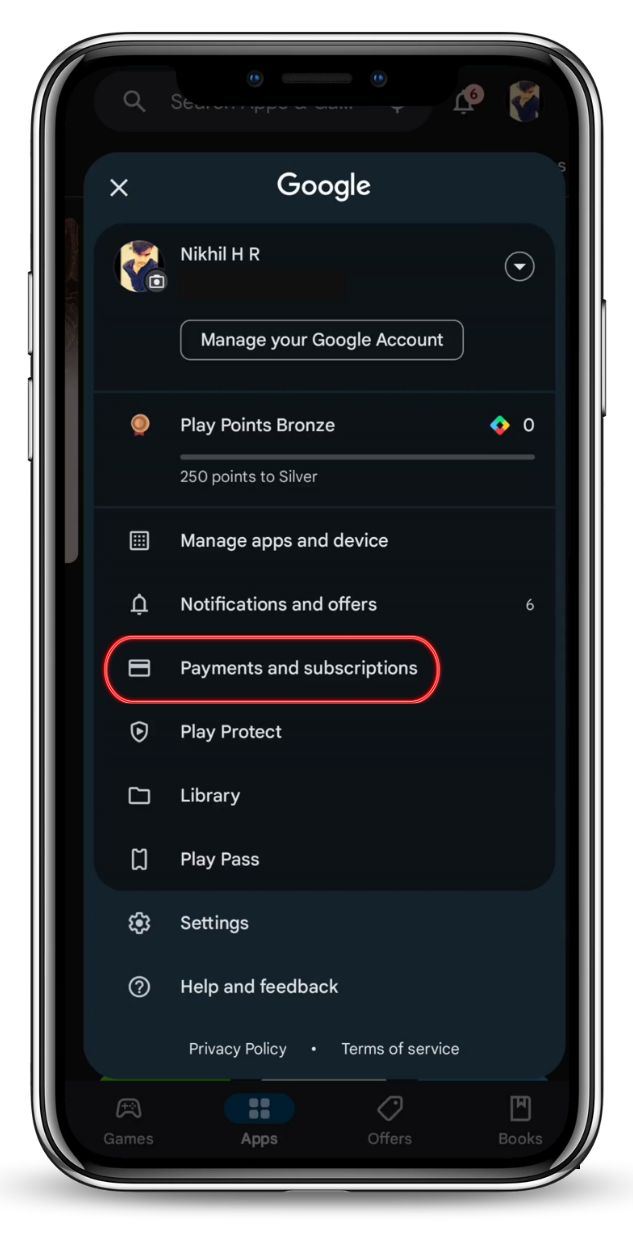
Open Google Play: Open the Google Play Store app on your phone.
Open the Menu: Tap your profile icon in the top-right corner.
Go to Payments: Tap Payments & subscriptions, and then select Redeem code.
Paste and Confirm: Paste your code into the field and tap Redeem.
All set!
Need Help?
If your code isn't working or you run into any issues along the way, please don't hesitate to reach out at support@woofz.com.